

If you've ever thought: "I want a great career in the IT industry, but I really dislike coding, memorizing syntax, and debugging brackets for hours" — this guide was written specifically for you.
Every day, thousands of students and non-technical graduates believe they are locked out of high-paying tech jobs because they aren't computer programmers.
Here is the truth: The technology world has changed. You no longer need to write thousands of lines of complex code to automate computer tasks. Today, the world's largest companies — from banks to tech giants — run on visual automation platforms called RPA (Robotic Process Automation), powered by UiPath.
Let's meet your very first digital robot!
Chapter 1: What is a Software Robot?
When people hear the word "robot", they picture a mechanical metal machine walking in a factory.
An RPA robot is completely different: it is a software assistant that lives inside your computer. It interacts with websites, Excel spreadsheets, emails, and desktop software the exact same way a human does — only 10x faster, without making typos, and without ever getting bored!
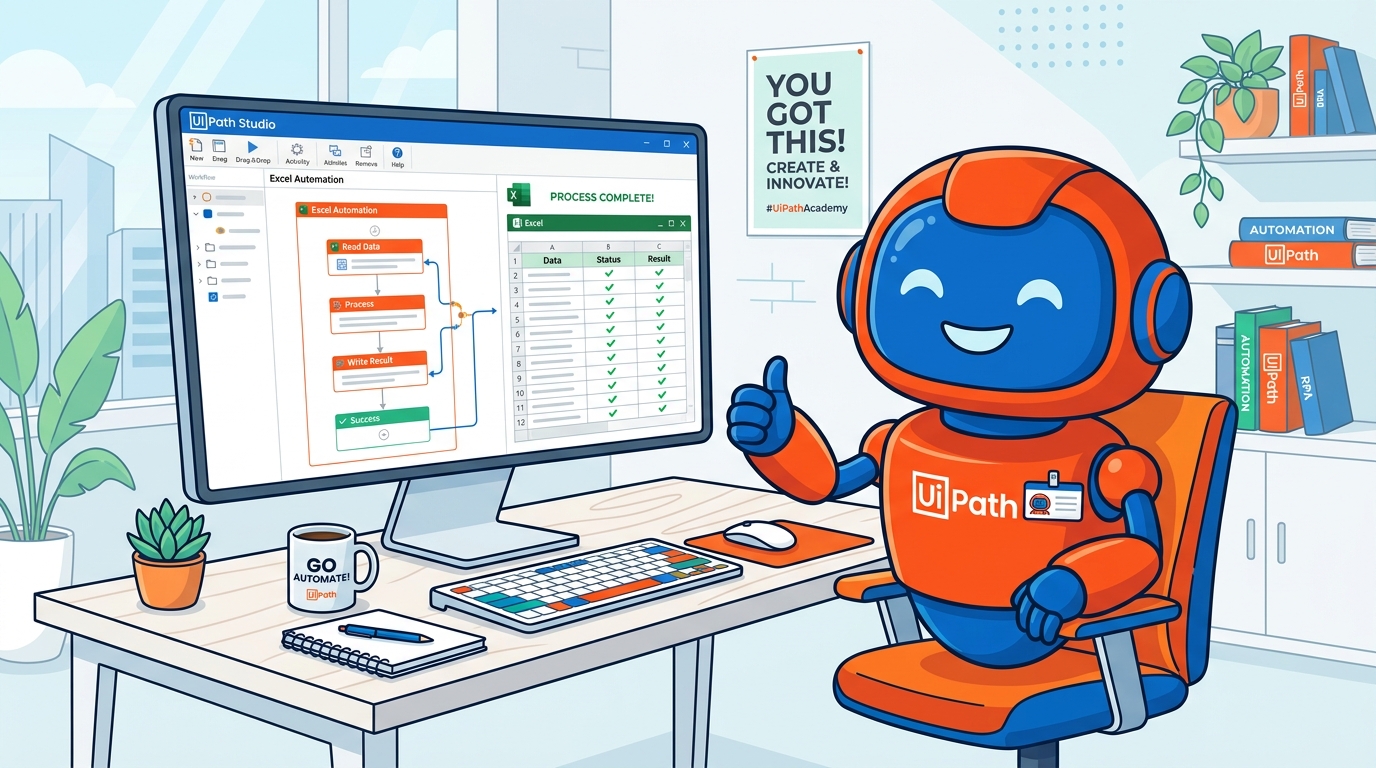
🤖 Meet your new digital co-worker: The UiPath bot works quietly on your desktop, reading spreadsheets, clicking web forms, and finishing hours of repetitive data tasks in seconds with 100% accuracy!
The Before & After Picture
Think about a typical office job where an employee has to copy information all day:
Same clicks. Same typing. Every single morning. Slow work, heavy fatigue, and huge risk of manual copy-paste mistakes.
You press Run (or let it trigger automatically). The bot opens Excel, reads the records, fills the web form, renames the files, and logs everything in seconds.
The 4 Pillars of RPA Work
Any computer task is a perfect candidate for an RPA bot if it meets these 4 criteria:
Repeatable
Tasks you do over and over in identical, predictable steps.
Rule-Based
Clear rules apply: "If amount > 10k, email manager."
Digital
Works across existing apps: Chrome, Excel, SAP, PDFs.
Measurable
Saves hours every week and eliminates human error completely.
Chapter 2: Meet UiPath — The Drag & Drop Automation Builder
UiPath is the global industry leader in Robotic Process Automation. It is used by over 10,000 enterprises worldwide, including 60% of the Fortune 500.
Why did UiPath become so popular? Because it replaced complicated programming code with visual building blocks!
Your Automation Workshop (UiPath Studio)
Inside UiPath Studio, you do not stare at an empty black coding terminal. Instead, you have a clean graphical canvas:
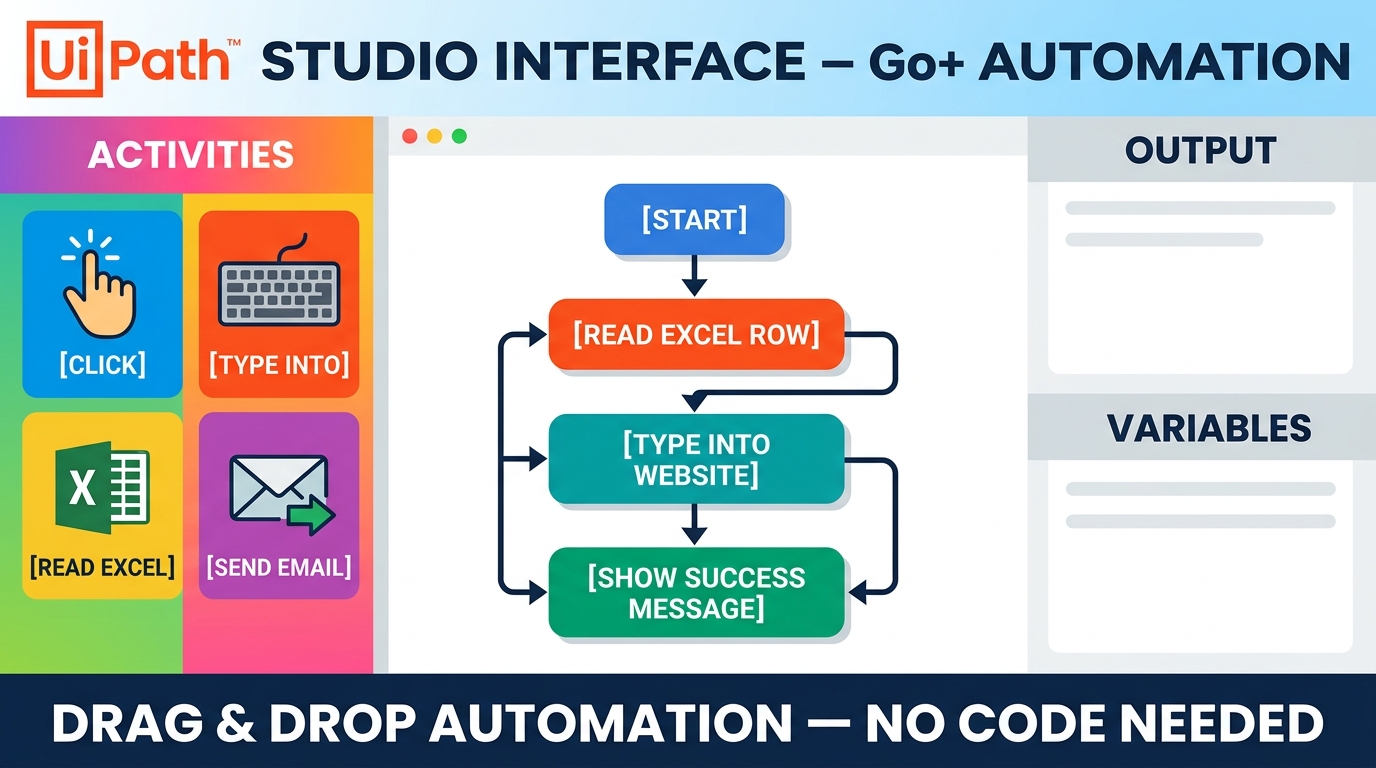
Here is how you work with the three main panels:
- The Activities Panel (Left): This is your toolbox. It contains pre-built actions created by UiPath:
Click(clicks any button on a website or screen)Type Into(types text into a username or search field)Read Range(instantly opens an Excel sheet and reads 1,000 rows)Send Outlook Mail(attaches files and sends emails)Move File(organizes folders)
- The Designer Panel (Center): Your visual canvas! You simply drag an activity from the left panel and drop it into the flow. You connect them with arrows in the exact order you want them executed.
- The Properties & Variables Panel (Right & Bottom): Where you tell the bot what values to remember (e.g.
CustomerName,TotalInvoiceAmount,FilePath).
Video: What is RPA in 5 Minutes? (Watch First)
Before exploring how UiPath works, take 5 minutes to watch this visual overview of Robotic Process Automation (RPA) and how digital software robots take over repetitive computer tasks across industries:
RPA Explained: What is Robotic Process Automation?
💡 Key Takeaway: In RPA, you don't build software from scratch with complex programming syntax. You simply teach a digital robot to follow rule-based steps across applications you already use every day like Excel, web browsers, and email!
Chapter 3: The 4 Visual Shapes You Need to Know
When you build an automation in UiPath, you don't write complex algorithms. You just combine 4 fundamental visual shapes:
➔ Sequence
Step 1 ➔ Step 2 ➔ Step 3. Simple linear processes that run top-to-bottom.
◇ If / Decision
Choose a path based on a rule: If true take left; if false take right.
🔁 Loop (For Each)
Repeat an action for every row in a table or every file until finished.
🔀 Flowchart
Connect multiple decisions and paths visually when processes branch.
Notice something important? None of these require memorizing semicolons, indentation rules, or memory pointers. It's pure logic — the exact same logical thinking you already use in everyday life!
Chapter 4: Build Your First Mini Bot (Excel ➔ Message Box)
Let’s walk through what your very first automation looks like in UiPath Studio. We will build a bot that reads an Excel sheet and pops up the answer on your screen.
Create a Sequence
Open Studio and drag in a clean Sequence container. This tells UiPath: "Execute these actions one after another."
Add "Use Excel File"
Drag the Use Excel File card into the sequence. Click the folder icon and select your file: Students.xlsx.
Add "Read Range"
Drop Read Range inside the Excel block. This pulls all data from Sheet1 into a temporary memory table called dt_Students.
Add "Message Box"
Drag in a Message Box activity and enter: "Total students found: " + dt_Students.RowCount.ToString. Hit Run!
What the Robot "Thinks" During Execution:
[Find File: Students.xlsx] ➔ [Read Sheet 1] ➔ [Store 25 Rows in Memory] ➔ [Popup Message on Screen: "Done!"]
That's it! You didn't write an API connection, you didn't configure a database driver, and you didn't compile C++ code. You dropped 4 visual blocks, connected them, and automated a real task.
Chapter 5: Four Beginner Bots You Can Actually Build
What can you build once you know the basics of UiPath? Here are four real-world beginner projects that students build in our live sessions:
1. Excel ➔ Web Form
Reads customer details from Excel and types them into web form fields automatically without errors.
2. Email Downloader
Monitors inbox for emails with subject "Invoice", downloads PDF attachments, and saves them to folders.
3. Bulk File Renamer
Scans messy folders containing hundreds of raw files and standardizes names like Invoice_2026.pdf.
4. Daily Report Bot
Merges data from 3 Excel workbooks, sums revenue figures, and automatically emails a daily summary at 6 PM.
Chapter 6: "Do I Need Coding?" (The Honest Answer)
Let's address the elephant in the room. Many students ask: "Is RPA really zero coding, or is that just marketing?"
Here is the honest, transparent answer:
Day 1 to Day 30: Zero Coding Required
To start building bots in UiPath, you do not need any coding background. Your primary tools are your natural human thinking skills:
- Logical Thinking: Can you list the steps you take to log into a website in order? (Open browser ➔ Enter URL ➔ Type username ➔ Type password ➔ Click Login). If yes, you have the logic needed.
- Attention to Detail: Can you spot which button on a screen needs to be clicked?
- Practice & Curiosity: Willingness to try, run the bot, see what happens, and tweak it.
Your 4-Level Skill Evolution:
Level 1: The Recorder       ➔ You record clicks and keystrokes directly on screen.
Level 2: The Visual Builder ➔ You assemble and connect drag-and-drop activities.
Level 3: The Problem Solver ➔ You add conditions (If/Else), loops, and error checks.
Level 4: The Enterprise Dev ➔ You connect APIs, Orchestrator queues, and AI Agents.
Later on, as you advance to high-scale enterprise projects, you will learn simple one-line expressions (like DateTime.Now.ToString("dd-MM-yyyy") to grab today's date). That is not complex software engineering — it's no harder than learning a formula in Microsoft Excel!
Chapter 7: The 35-Day Zero-to-Job Learning Roadmap
At RPAVault, we designed a structured 35-Day UiPath Visual Learning Pathway specifically for non-technical freshers and career switchers:
RPA orientation, setting up UiPath Studio Community Edition, understanding sequences, variables, and building your first guided desktop click-and-type bot.
Master the most sought-after skill in enterprise automation: reading workbooks, filtering Data Tables, writing ranges, looping rows, and building automated financial reports.
Automating Chrome and Edge, mastering UI Selectors, handling dynamic web forms, dealing with page loading delays, and building an automated web data-entry bot.
Connecting Outlook/Gmail, reading mail bodies, extracting attachments, bulk folder renaming, and adding Try Catch blocks so your robot recovers gracefully from errors.
Design and build an integrated portfolio project combining Excel + Web + Email. Master interview Q&A, resume preparation, and project demonstration techniques.
The Daily Rhythm: 60–90 minutes of guided live mentor instruction + 30–60 minutes of hands-on practice every day. You build a tangible result on every single day of the program.
Chapter 8: The Growing RPA Demand & FREE Live Demo Session
Why are companies hiring RPA developers so aggressively?
- Massive Cost Savings: Companies spend millions of dollars paying humans to do boring data entry. A bot does the same job in a fraction of the time with zero errors.
- AI + Agentic Expansion: In 2026, RPA has merged with AI models. Bots don't just click buttons anymore — they read unstructured invoices, classify customer sentiment, and trigger automated decisions.
- Roles Everywhere: From Junior RPA Developer to Bot Support Analyst and Automation Consultant, demand spans across banking, healthcare, retail, logistics, and telecom.
What Beginner Roles Look Like:
- Junior RPA Developer: Build and test automations under senior guidance.
- RPA / Bot Support Specialist: Monitor bots running in Orchestrator, investigate exceptions, and keep operations running smoothly.
- Automation Business Analyst: Speak with business teams, map manual workflows, and identify which processes should be automated.
Join Our FREE Live UiPath Demo Session!
If you’re looking to start your IT career, switch to IT, or upgrade your skills, this session will help you understand what you’ll learn and how the training works.
What You Can Do Right Now (Free First Step)
You don't need to wait to start your automation journey. Here is something you can do today in 15 minutes:
- Download UiPath Studio Community Edition: Visit UiPath.com and create a free account. Community Edition is 100% free for learners and personal use forever.
- Open Studio and pick "Process": Name your project
MyFirstBot. - Drag a "Message Box" activity onto the screen: In the text box, type
"Hello, I am learning automation without coding!". - Hit the green "Run" button: Watch your computer execute your first digital instruction.
When you see that popup appear, you'll realize something empowering: You don't need to be a software programmer to build the future of work.
If you want structured guidance, dedicated doubt clearing, and real portfolio projects that get you hired, our mentors at RPAVault are here to walk with you every step of the way.
Start small, practice daily, and let's build your first bot!